Tally Integration With Existing Software – Complete Guide (2025)
Connect Your Local Tally With Any Application Using Anjok Technologies Integration Engine
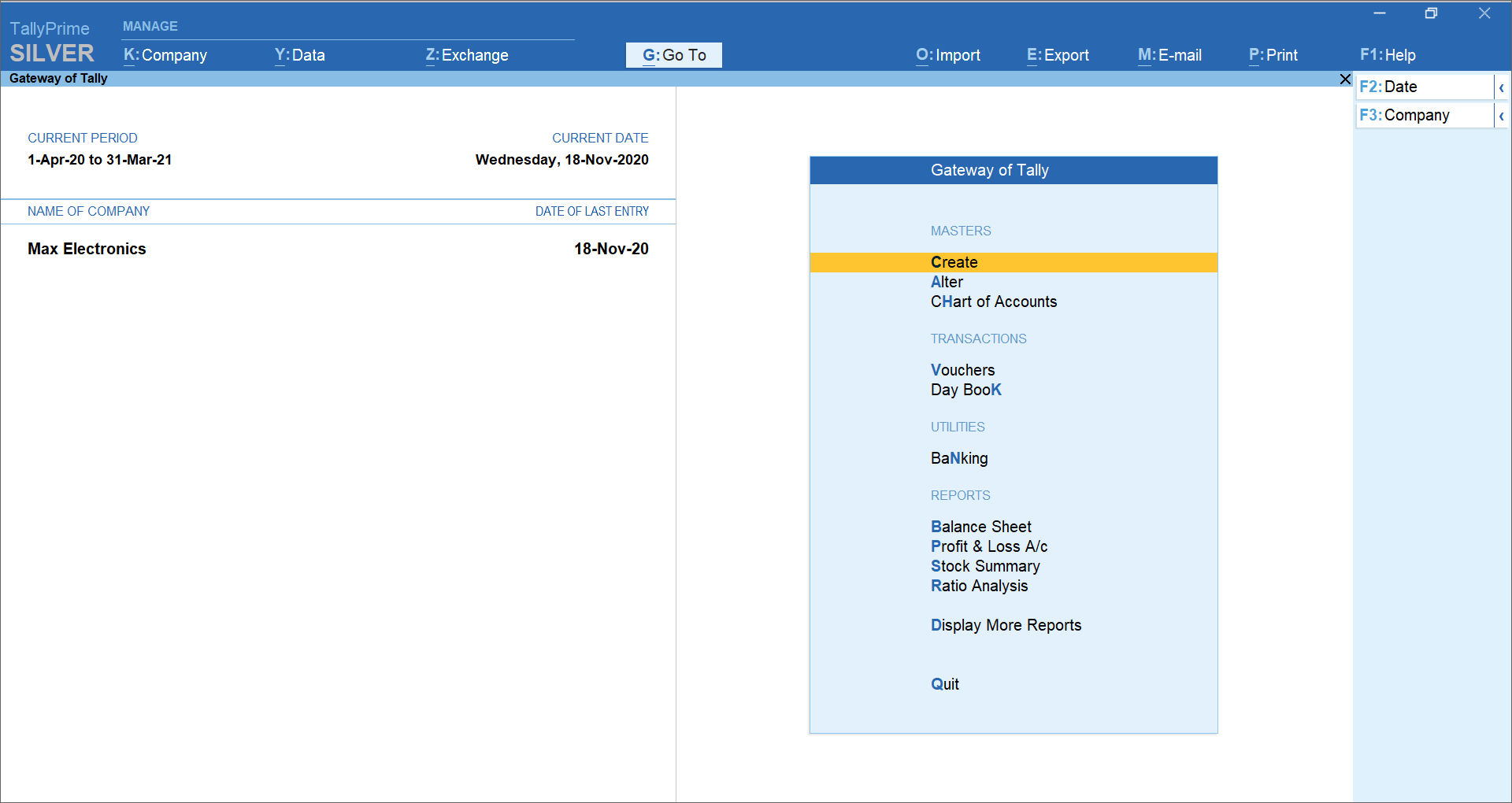


Every business uses multiple systems today — billing apps, POS, CRM, HRM, ERP, e-commerce, custom-made applications.
But when it comes to accounting, Tally remains the No.1 trusted platform in India.
The biggest problem?
👉 Data needs to be manually entered in Tally again and again.
👉 Invoices, payments, purchase entries, stock updates all become double work.
👉 Manual entries cause mistakes, mismatches, and GST filing issues.
At Anjok Technologies, we solve this through Local Tally Integration — a fully automated syncing system between your software and your Tally running on your local computer/server.
✅ What is Local Tally Integration?
Local Tally Integration means connecting your Tally on port 9000 with your existing application (desktop/web/mobile) through:
- Tally XML API
- Tally ODBC
- Tally Prime Developer API
- Secure Local Network Bridge
- Auto Voucher Posting Engine
This enables 100% automatic accounting without manually opening Tally.
🎯 Who Needs Tally Integration?
Businesses using:
- Retail Billing Software
- POS System
- Textile Billing Software
- ERP / HRM / Payroll
- CRM / Inventory Apps
- E-commerce Platforms
- Custom Desktop or Web Applications
If your data needs to go into Tally, this integration eliminates 90% manual work.
⭐ Features of Anjok Technologies Tally Integration
🔹 1. Voucher Auto-Posting
Automatically push:
- Sales Invoice
- Purchase Invoice
- Payment
- Receipt
- Contra
- Journal
- Credit Note
- Debit Note
All GST fields included.
🔹 2. Masters Sync
Auto-create & update:
- Ledger
- Stock Items
- Stock Groups
- Units
- Customers
- Suppliers
🔹 3. Stock & Inventory Sync
Your software → Tally:
- Real-time stock balance
- Godown transfer
- Item-wise inward/outward
🔹 4. GST-Ready Posting
We ensure proper:
- CGST / SGST / IGST
- HSN/SAC mapping
- Tax ledger mapping
- E-invoice support
🔹 5. Error Handling & Logs
Our integration engine provides:
- Detailed error logs
- Duplicate prevention
- Auto-retry
- Clean and validated posting
🔹 6. Local + Cloud Hybrid Support
Even if your main application is cloud-based, we connect with local Tally through our secure Anjok Sync Client.
🔧 How Our Tally Integration Works (Technical Architecture)
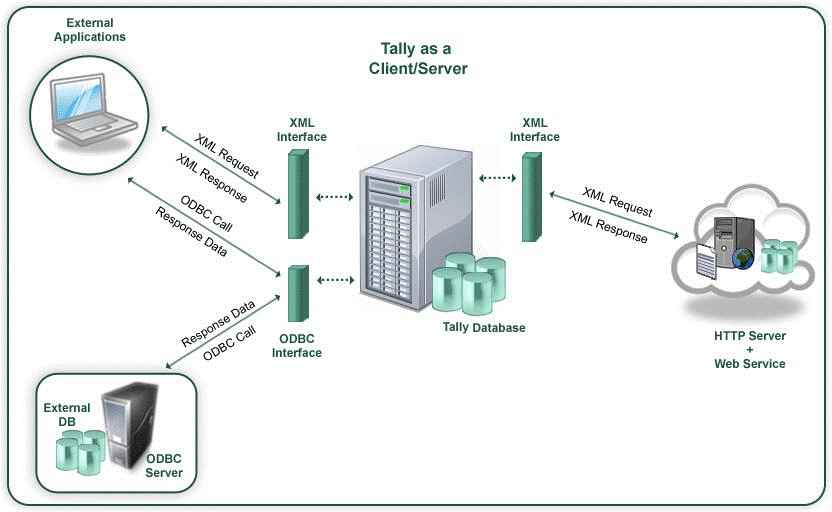

6
Step 1: Install Tally Prime / ERP 9 locally
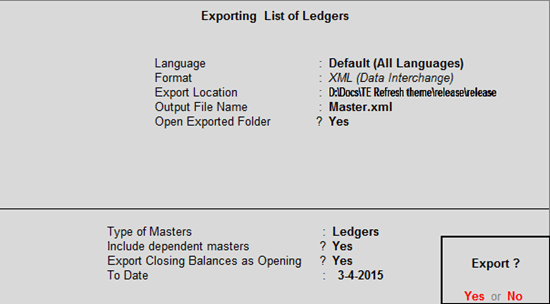
Enable ODBC + XML/HTTP server (Port 9000).
Step 2: Install Anjok Tally Sync Client
This connects your software to local Tally.
Step 3: Configure Your Software
We add mapping for:
- Ledgers
- Items
- Taxes
- Voucher types
Step 4: Automated Sync Begins
Your data → API → Tally XML → Local Tally Server → Voucher Posted.
Step 5: Daily Logs & Validation
System auto-reports errors, duplicates, and posting issues.
💼 Why Choose Anjok Technologies for Tally Integration?
- 100% in-house development
- Experience in GST, Billing, ERP, Textile
- Safe & secure coding
- High success rate in Tally posting
- Ongoing support & custom modules
- Fast delivery with clean documentation
💰 Pricing – Tally Integration Service
| Service | Price (INR) |
|---|---|
| Basic Posting (Sales/Purchase) | ₹9,999 one-time |
| Full Voucher Integration | ₹19,999 one-time |
| Stock + Master Sync | ₹24,999 one-time |
| Anjok Tally Sync Client (Optional) | ₹999/month |
| Custom Modules | As per requirement |
📞 Get Integration for Your Software
Anjok Technologies – Coimbatore | Tiruppur
We connect your software with Tally in 1–3 days.
📧 Email: kani55431@gmail.com
📞 Phone: +918072970517
❓ FAQs
1. Does this work with TallyPrime and Tally ERP 9?
Yes, we support both.
2. Do you support GST invoice posting?
Yes, all GST fields and tax ledgers are mapped.
3. Can you integrate web apps with local Tally?
Yes. We provide a sync bridge for cloud ↔ local Tally.
4. Is the data secure?
Yes. Everything runs inside your local network unless you want cloud sync.
5. Can I customize the integration?
Yes. We support industry-wise customization.