🚀 Introduction
WhatsApp Cloud API by Meta is the most powerful way to send automated WhatsApp messages directly from your application.
If you're building:
- CRM
- SaaS tools
- WhatsApp automation systems
👉 This is the official and scalable solution
🧩 Step 1: Create Meta Developer Account
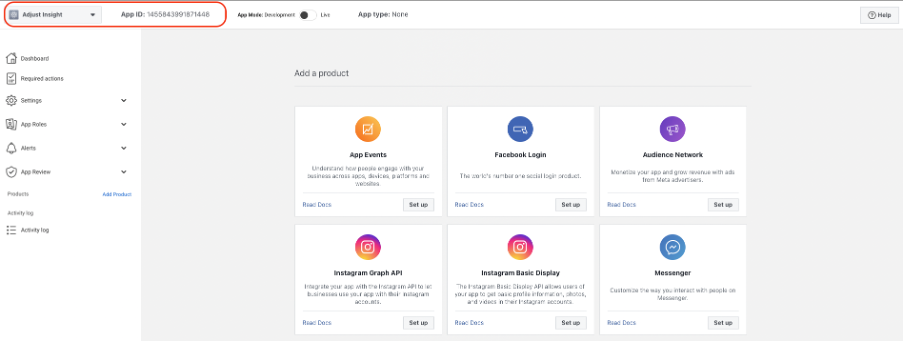
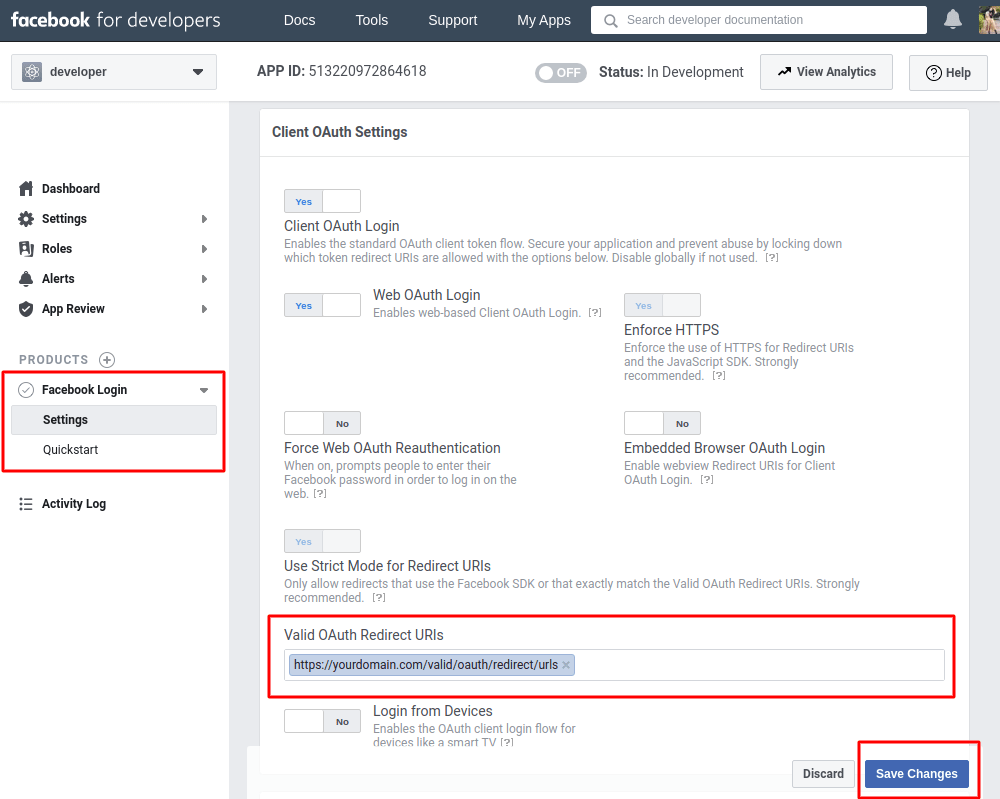
Visit Meta for Developers and create your app.

4
👉 Select Business App
👉 Enter details
👉 Create App
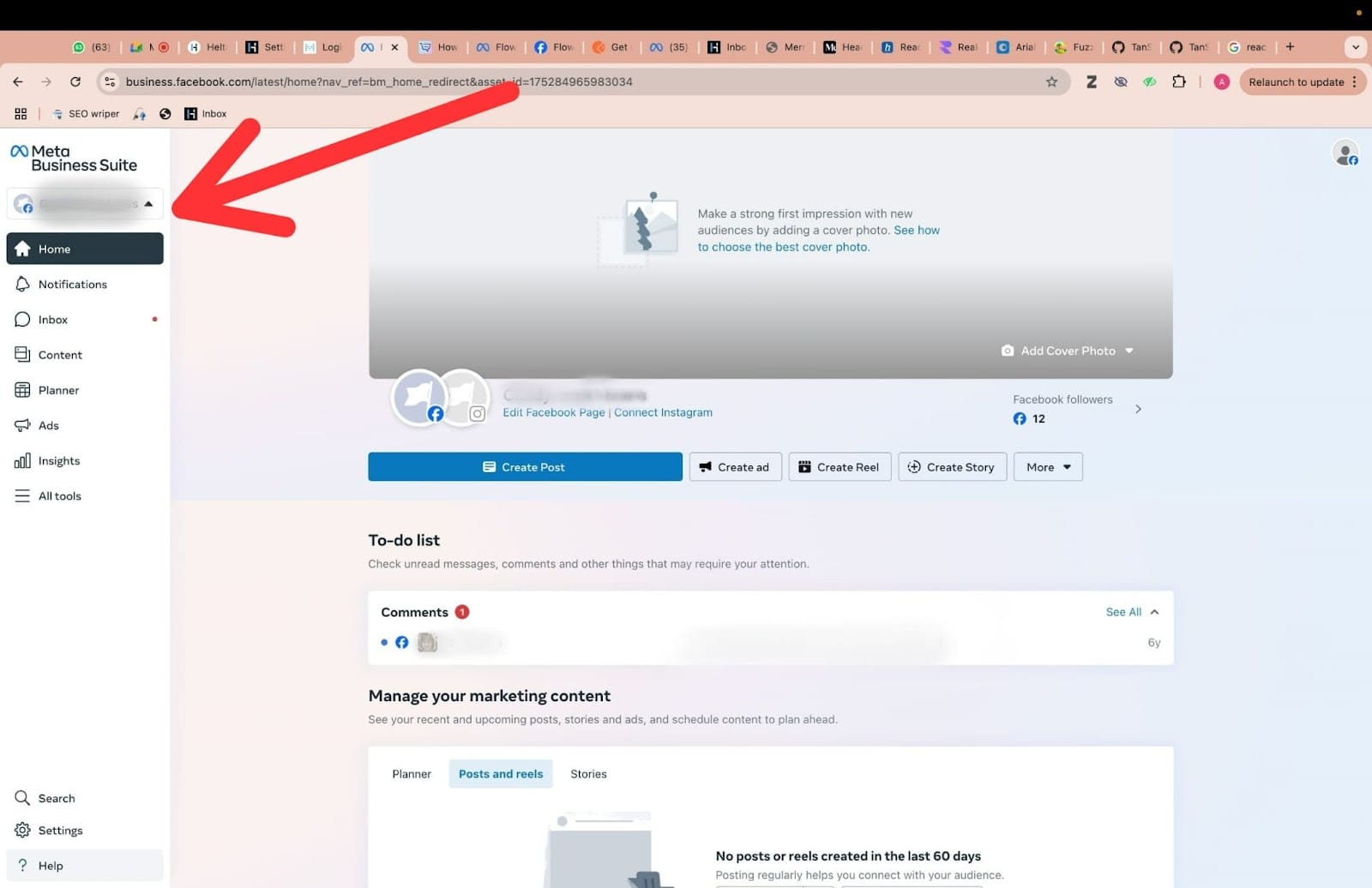
📲 Step 2: Add WhatsApp Product
4
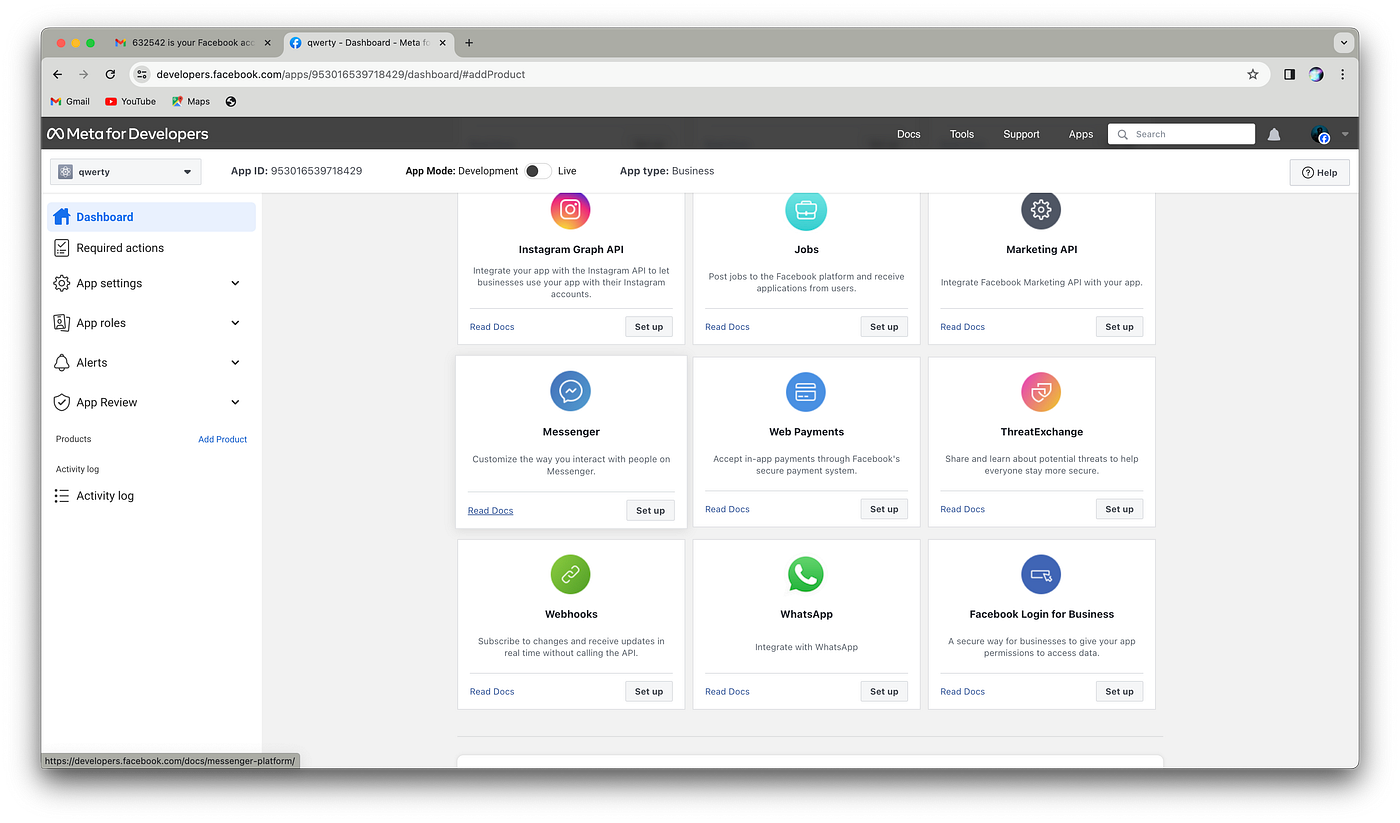
👉 Go to Dashboard
👉 Click Add Product → WhatsApp → Setup
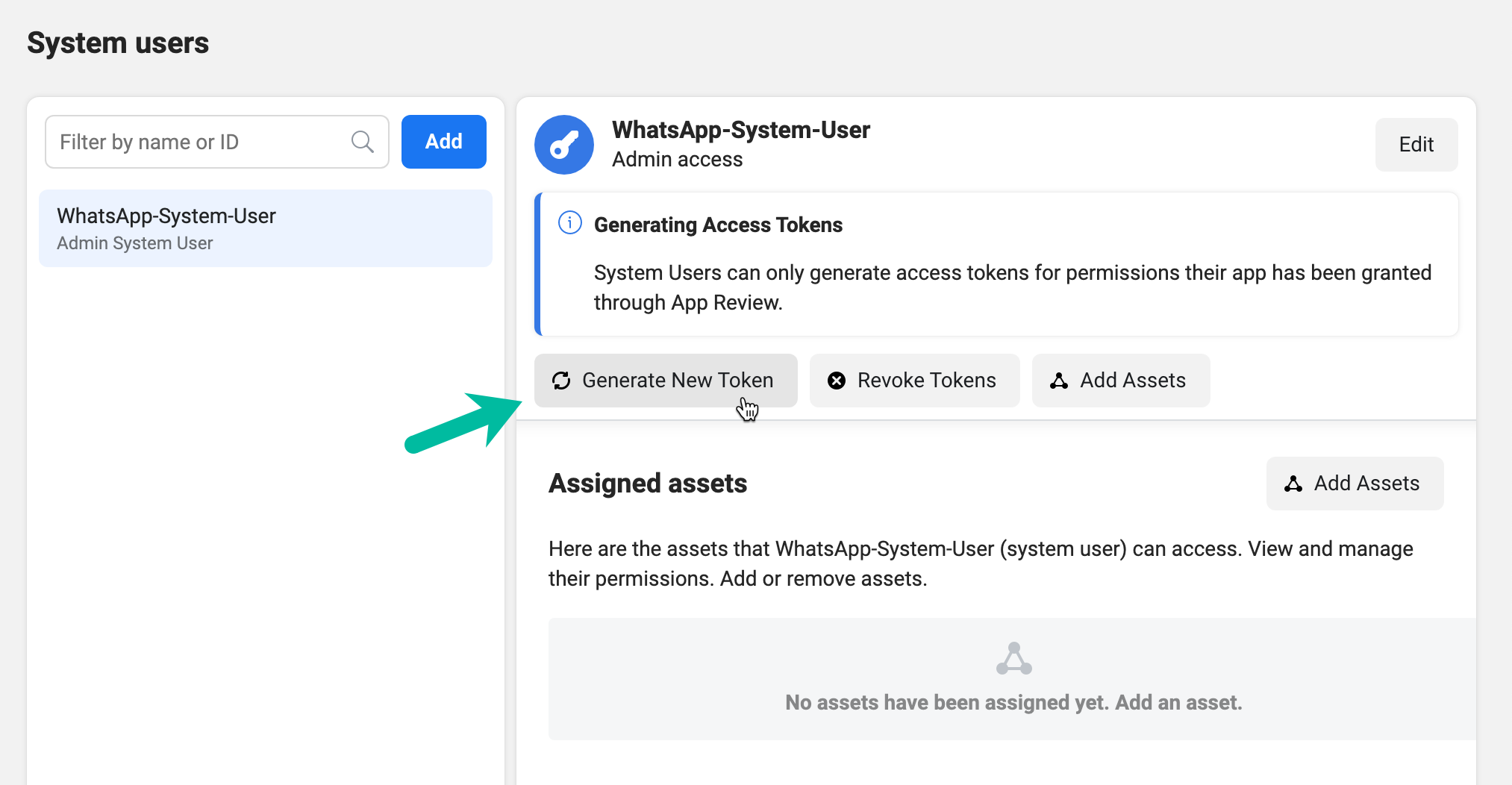
🔑 Step 3: Get API Credentials
4
You will get:
- Access Token
- Phone Number ID
- Business Account ID
👉 For production: read this
➡️ https://anjoktechnologies.in/blog/how-to-generate-permanent-access-token-for-whatsapp-cloud-api-system-user-method-2026-guide-
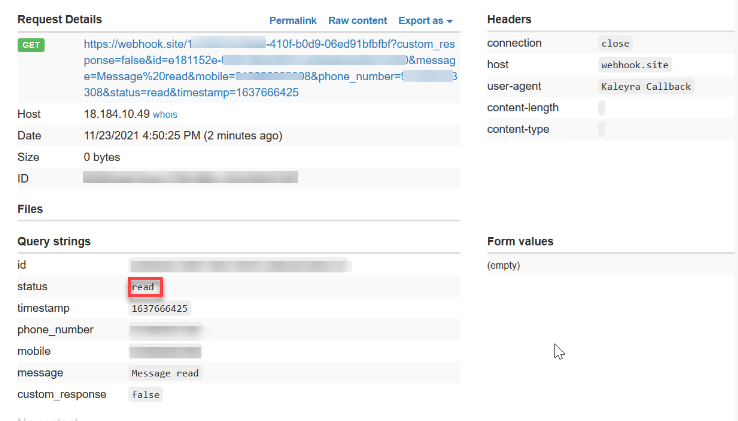
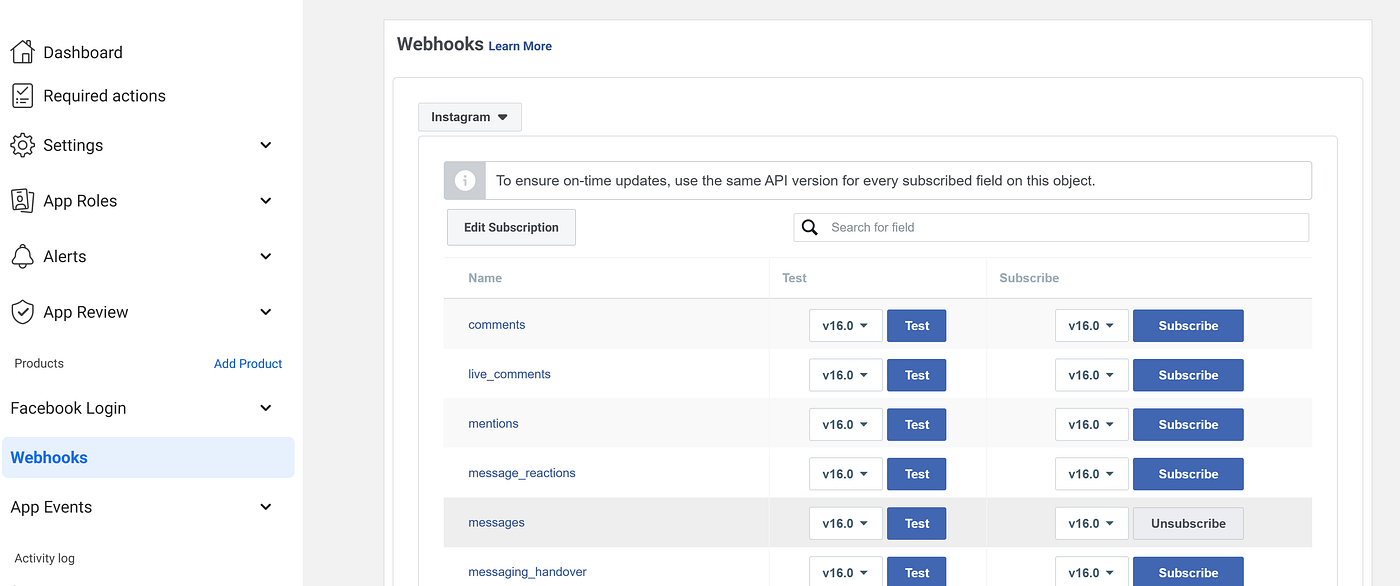
📡 Step 4: Setup Webhook
4
👉 Add Callback URL
👉 Add Verify Token
👉 Subscribe to messages
👉 Detailed webhook guide:
➡️ https://anjoktechnologies.in/blog/whatsapp-cloud-api-webhook-setup-explained-messages-status-events-2026-guide-
💬 Step 5: Send Your First Message
curl -X POST https://graph.facebook.com/v19.0/PHONE_NUMBER_ID/messages \
-H "Authorization: Bearer ACCESS_TOKEN" \
-H "Content-Type: application/json" \
-d '{
"messaging_product": "whatsapp",
"to": "91XXXXXXXXXX",
"type": "text",
"text": { "body": "Hello from WhatsApp Cloud API 🚀" }
}'


4
👉 Facing issues? Fix here:
➡️ https://anjoktechnologies.in/blog/top-10-common-errors-in-whatsapp-cloud-api-setup-and-how-to-fix-them-2026-guide-
🧠 Step 6: Production Setup
To go live:
- Verify business in Meta Business Manager
- Add real number
- Enable billing
👉 Compare APIs:
➡️ https://anjoktechnologies.in/blog/meta-whatsapp-cloud-api-vs-whatsapp-business-api-which-one-should-you-choose-in-2026-
Here are more useful guides:
- 👉 https://anjoktechnologies.in/blog/complete-whatsapp-cloud-api-setup-guide-2026-meta-official-method-step-by-step-
- 👉 https://anjoktechnologies.in/blog/how-to-set-up-whatsapp-cloud-api-step-by-step-in-meta-developer-business-manager
- 👉 https://anjoktechnologies.in/blog/-whatsapp-cloud-api-webhook-setup-messages-verification-php-example-2026-complete-developer-guide-anjok-technologies
- 👉 https://anjoktechnologies.in/blog/meta-whatsapp-api-errors-simple-fix-guide-for-indian-businesses
⚙️ PHP Example
$data = [
"messaging_product" => "whatsapp",
"to" => "91XXXXXXXXXX",
"type" => "text",
"text" => ["body" => "Hello from Anjok API"]
];
$ch = curl_init("https://graph.facebook.com/v19.0/PHONE_NUMBER_ID/messages");
curl_setopt($ch, CURLOPT_HTTPHEADER, [
"Authorization: Bearer ACCESS_TOKEN",
"Content-Type: application/json"
]);
curl_setopt($ch, CURLOPT_POSTFIELDS, json_encode($data));
curl_setopt($ch, CURLOPT_RETURNTRANSFER, true);
$response = curl_exec($ch);
curl_close($ch);
echo $response;
📞 About Anjok Technologies
Anjok Technologies is a leading software company providing:
- WhatsApp API Solutions
- HRM & Payroll Software
- Custom SaaS Development
- SEO & Web Development
🌐 Website: https://anjoktechnologies.in
📞 Phone: +918072970517
📍 Location: Coimbatore & Tiruppur
🎯 Why Choose Anjok Technologies?
✅ Affordable pricing
✅ Ready-made WhatsApp API system
✅ White-label solutions available
✅ Full support & setup
👉 Explore WhatsApp API Software:
https://anjoktechnologies.in/blog/-whatsapp-api-software-just-6-000-year-chatflow-campaign-scheduling-mobile-app-lifetime-free-
🚀 Conclusion
Setting up WhatsApp Cloud API in 2026 is simple when you follow the correct steps.
If you want:
- Ready system
- Automation setup
- SaaS WhatsApp platform
👉 Contact Anjok Technologies today
📞 +918072970517
🌐 https://anjoktechnologies.in